Bringing an Enterprise AI Hub to life in six weeks
Designing a unified AI platform for a large electrical utility, from user research through high-fidelity prototype, in six weeks.
RESULTS
400
10
Users in the targeted pilot organization
Users interviewed in 2 days
Background
A large electrical utility had a problem hiding in plain sight: multiple generative AI tools doing roughly the same things in different corners of the organization. Each team had built or adopted something independently, which meant inconsistent experiences for employees, duplicated costs, and a confusing AI strategy.
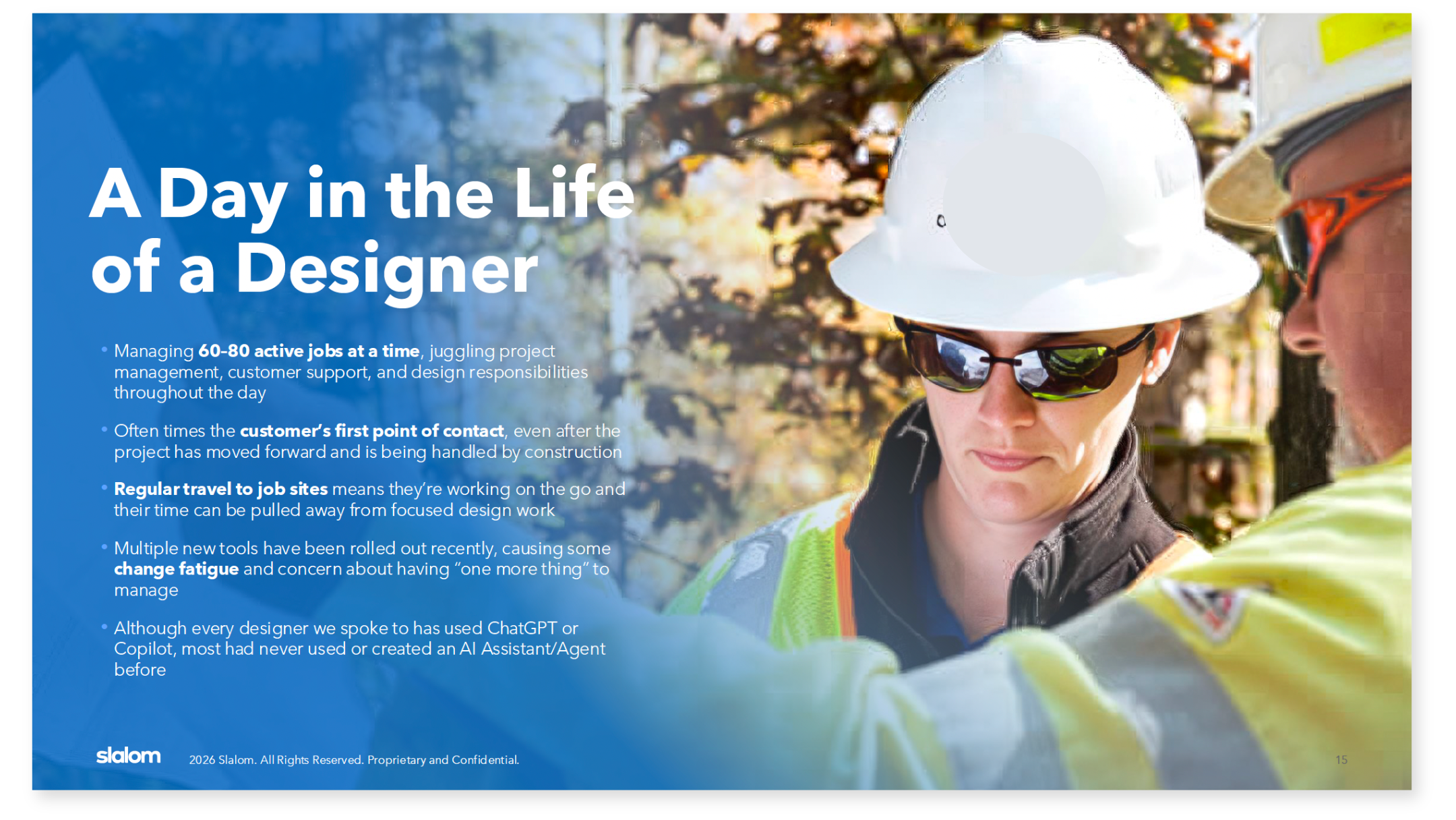
Our team was brought in to change that. The goal was to design a unified AI platform and rapidly prototype what it could look like for an initial pilot group: the electrical service designers. These are the engineers who figure out how power gets from a substation out to your home or business. They manage 60-80 active projects at a time while also fielding customer calls, traveling to job sites, and keeping up with dense technical documentation. Accelerating their work with AI could make a huge difference.
Role
Lead Product Designer and Strategist
Designing for AI, Product Strategy, Rapid Prototyping
Timeframe
6 week long Discovery/Art of the Possible
Industry
Electrical Utilities
Deliverables
User research, journey maps, use case prioritization, high fidelity Figma prototype
RESEARCH
Understanding the user’s needs
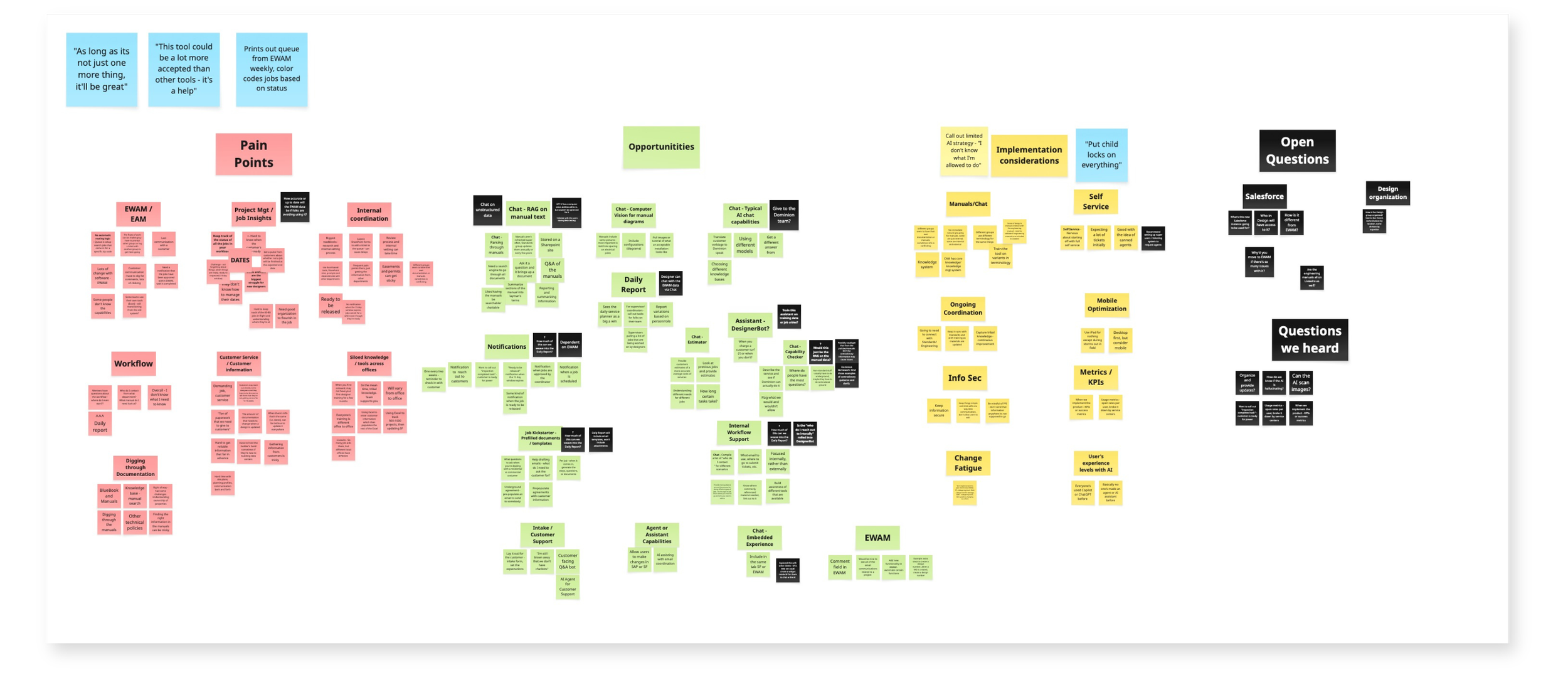
Although the timeline was tight, I knew I needed to hear directly from the targeted end users: Designers. Leadership had big ideas about rolling out complex AI functionality with MVP - I wanted Designers to weigh in on their biggest challenges and comfort with AI to shape our scope. I ran 10 one-on-one interviews over two days, talking to designers across different roles, tenure levels, and regions.
What I found was all 10 had used ChatGPT or Microsoft Copilot at least occasionally, but none of them had utilized the complex AI capabilities leadership was targeting (e.g. creating your own customized AI Assistant). Many were hesitant about adding "one more thing" to their already full plates, as the organization had rolled out several new tools in quick succession. Change fatigue was weighing on the team.
The pain points that came through loudest:
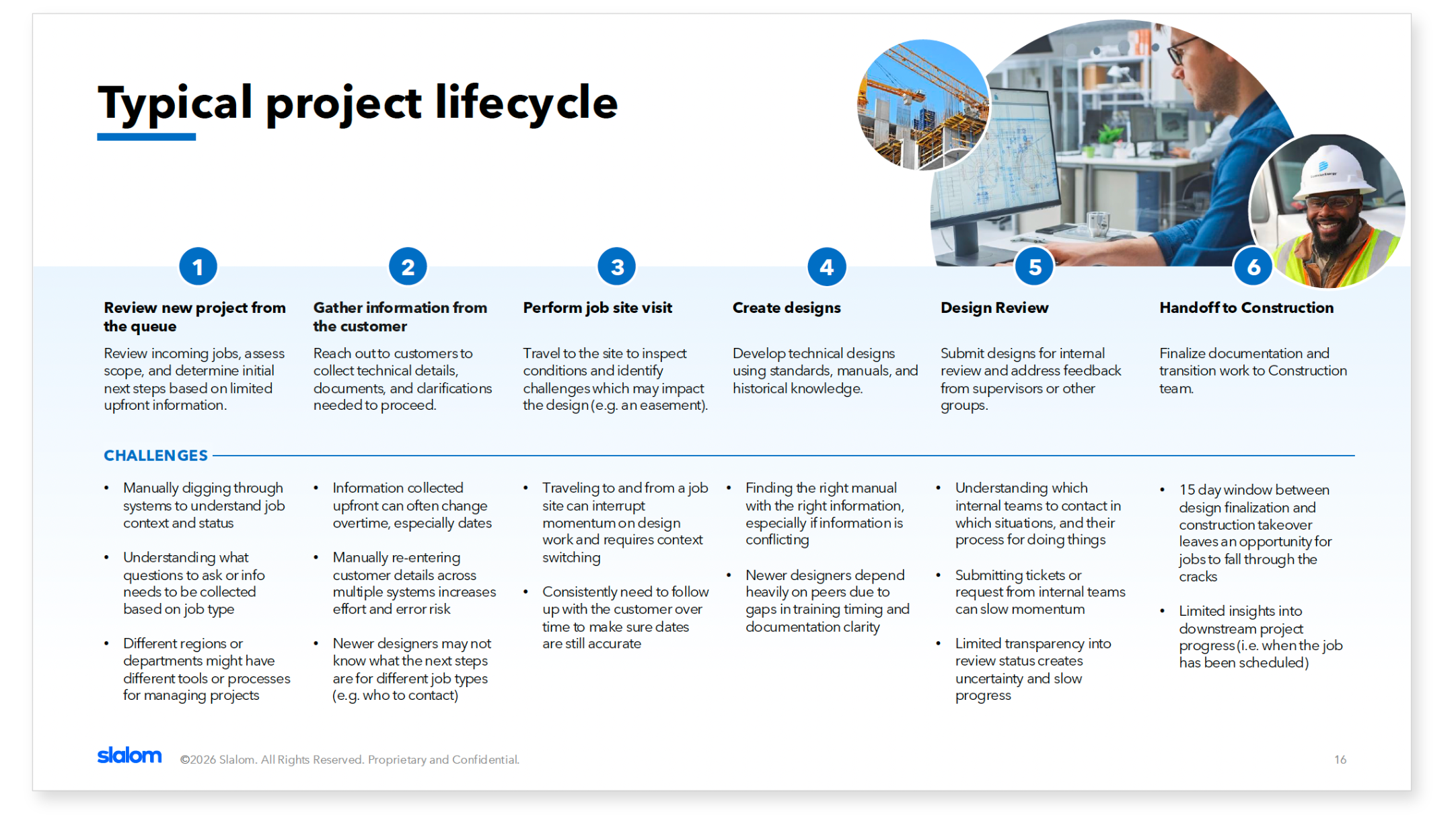
Finding information was the biggest challenge. To find out something as simple as a code for overhead wiring, designers would need to comb through manuals which were hundreds of pages long. These manuals could also contradict themselves and were full to the brim with dense diagrams.
Their work management system was clunky and hard to report out of. To answer a question like "which of my jobs are past due?" required manual digging through the system.
Workflow visibility was limited. Designers weren't always notified when key things happened: a design was approved, a 15-day deadline window was closing, a customer hadn't been contacted in weeks. Things fell through the cracks.
And newer designers were relying heavily on their teams to answer straightforward questions as they were waiting for the next round of training.
STRATEGY
Shaping the solution
With research findings in hand, I ran a prioritization workshop with the business to align on what we'd actually build. This is where the user data earned its keep. The business had initially wanted to include agentic self-service features, including the ability for users to create their own AI agents. The research told a different story: if only one in ten users had ever interacted with an agent before, that wasn't a Day 1 feature. We moved it to the backlog.
What we focused on for MVP came down to three core capabilities:
1
Retrieval Augmented Generation (RAG) on SharePoint
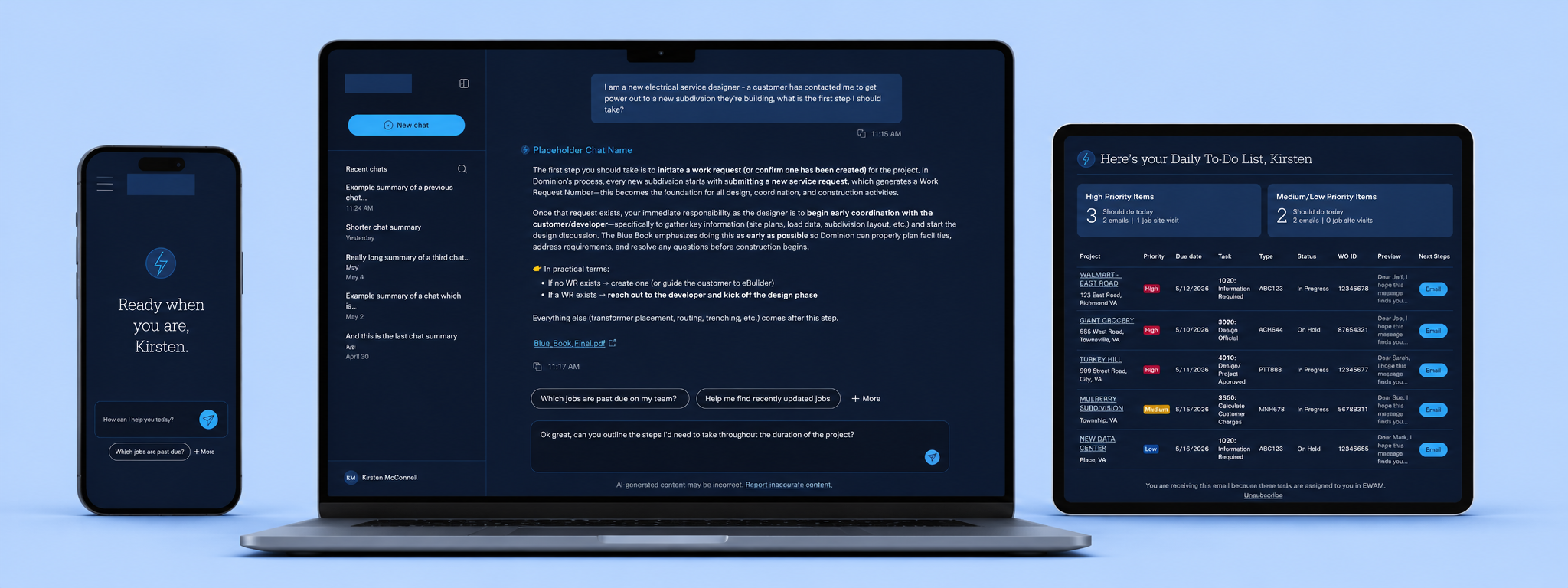
The manuals were already on SharePoint. We designed a chat interface where designers could ask natural language questions and get answers pulled directly from those documents, with source citations attached. One designer called it "a super Control+F” which stuck.
2
Natural Language Query (NLQ) for the Work Management System
Instead of manually digging through their system to track job status, designers could just ask: "Which jobs on my team are past due?" The system would return a structured, readable table. No more manual hunting
3
AI powered daily “to do” list in every designer’s inbox
Instead of manually digging through their system to track job status, designers could just ask: "Which jobs on my team are past due?" The system would return a structured, readable table. No more manual hunting
DESIGN
From research to prototype in two weeks
After wrapping research, I had roughly two weeks to get from findings to a high-fidelity Figma prototype. That's a tight window for something this complex, and I leaned on AI to move faster without cutting corners.
I used AI tools to help package research findings, build the interview guide, and synthesize themes across sessions, which freed me to focus my time on design decisions rather than documentation. The prototype itself needed to communicate both what MVP would look like and what the platform could grow into.
For MVP, I focused on the core experience: a clean chat interface with RAG search, structured query support, conversation history, a feedback loop, and the daily email report.
For MVP+, I designed a more expansive vision: a full assistant marketplace where different specialized agents (one for manual lookups, one for EWAM data, a writing wizard for customer communications) could be accessed and eventually requested by users. I also designed the self-service assistant creation experience that we had pulled from MVP scope based on the research.
The result was a prototype the organization hadn't expected to see so quickly.
Conclusion
The 6-week discovery closed with a clear build roadmap: MVP centered on the daily report and the chat interface, powered by the SharePoint RAG and NLQs. The implementation phase launched shortly after and is currently ongoing.
I rolled off at the end of discovery, which is the one thing I'd do differently if I could. Getting deep into user research, shaping the product vision, and handing it over just as the build was starting meant I didn't get to see it through. The best version of this kind of work happens when the designer who did the discovery is also the one iterating in build. That's a lesson I carry forward.
FROM THE CLIENT
“Everything usually takes forever here. I'm really impressed by how quickly you were able to do the research and pull this together."